 blog
3 Things a Free Social Media Post Planner Demo Should Do
Last Updated: November 12, 2026
Quick Summary
A free social media post planner demo should let you build and edit a real post, not just watch a video. Fehrbiz's free editable sample requires no signup or payment details, so check that you can edit it and that it covers the platforms you use.
- A planning workspace helps you prepare posts, and you publish through your own social apps.
- Add one real post per day for the next seven days to test a free content calendar.
- A DIY spreadsheet layout costs nothing and teaches you what you need before you commit.
- A downloadable template saves setup but locks you into someone else's columns.
- Fehrbiz Post Once offers 7-, 14- or 30-day plans for Facebook, Instagram and Pinterest.
Table of Contents
- What a Free Social Media Post Planner Demo Should Actually Show You
- Planner or Scheduler? How a Free Content Scheduler Differs from a Planning Workspace
- Test the Free Content Calendar for Social Media Before You Pay
- Frequently Asked Questions
What a Free Social Media Post Planner Demo Should Actually Show You
A free social media post planner demo should let you build a real post, not just watch a video. Fehrbiz's free editable sample does not require signup or payment details.
Check whether you can edit the sample and whether it covers the platforms you use.
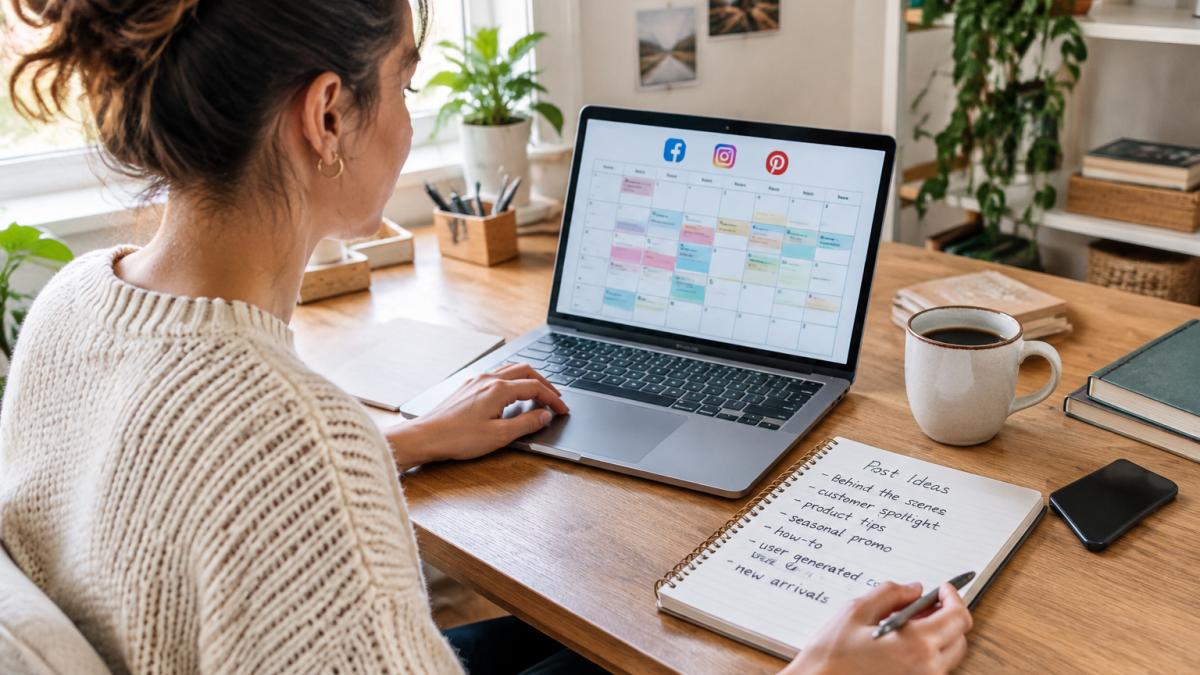
Here is what to look for in a free demo before you commit. To see the actual PostOnce planning workspace the demo represents, review the sample before deciding whether it fits your needs.
| Item | Value | Note |
|---|---|---|
| Demo format | Free editable sample | Not just a video |
| Signup required | No | No payment details either |
| What to check | Can you edit the sample | And does it cover your platforms |
| Planner vs scheduler | Planner helps you prepare | You publish through your own apps |
| Fehrbiz PostOnce | Planning workspace | Review each draft, post through your apps |
| Calendar test | Add one real post per day | For the next seven days |
| DIY spreadsheet layout | Costs nothing | Try it first for one week |
| Downloadable template | Saves setup | Locks you into someone else's columns |
Planner or Scheduler? How a Free Content Scheduler Differs from a Planning Workspace
A free content scheduler publishes for you; a planning workspace helps you prepare, and you publish through your own social apps.
Fehrbiz PostOnce is the second kind: it helps you prepare and organize captions and posts. You review each draft and post it through your own apps.
Test the Free Content Calendar for Social Media Before You Pay
A free content calendar for social media is only worth testing if you can put your own posts in it. Add one real post for each of the next seven days using your actual products, links and photos, then read the week back.
The same test works on a free content planner template you build yourself in a spreadsheet. A DIY layout costs nothing and teaches you what you need; a downloadable template saves setup but locks you into someone else's columns. Try the DIY version first for one week.
When you are ready to see the workspace itself, Fehrbiz Post Once is where to start.
Planning is not the hard part. Preparing enough posts to fill a week, in a form you can review and fix, is where most small businesses stall. Fehrbiz built Post Once for exactly that gap: 7-, 14- or 30-day plans for Facebook, Instagram and Pinterest, a free editable sample with no signup, and Premium AI that turns your product description into editable caption drafts. You review every draft before it goes out, and you publish through your own apps.
Get started with Fehrbiz and prepare your next week of posts in one place.
Frequently Asked Questions
What should a free social media post planner demo include?
A useful demo should let you see how posts are organized across a calendar, how captions and images are stored together, and how the tool handles multiple platforms like Facebook, Instagram and Pinterest. You should be able to test the planning workflow without entering payment details. Fehrbiz offers a free editable sample that shows how Post Once organizes 7-, 14- or 30-day plans, and you can review each draft before deciding whether the full workspace fits how you post.
Is a social media planner the same as a scheduling tool?
No. A free content scheduler typically publishes posts automatically at set times. A planner helps you prepare and organize drafts, captions and images in advance, then you publish through your own social apps. Post Once works as a planning workspace: it suggests reminder times and keeps your drafts organized, but you review and share each post yourself. Knowing which type you need prevents paying for automation you will not use.
Can I plan social media posts with a free content calendar for social media?
Yes. A free content calendar for social media gives you a visual layout to map posts across days and platforms before writing anything. Start by listing your products or services, then assign one post idea per slot for a week. Fehrbiz Post Once lets you build 7-, 14- or 30-day plans and try a free editable sample first, so you can see whether a calendar view keeps your captions and images organized before committing.
